

Reviews
Description
Game Introduction
Millika Village Adventure Story is an interactive fiction game set in a peaceful, snow-covered village. You play as a character who must prepare for an approaching storm by exploring the village, talking to residents, and gathering resources. The game combines elements of visual novels, RPGs, and management simulations, all presented in a pixel art style. What makes it unique is its handcrafted nature: the developer created all original art, music, and programming, giving the game a personal feel. The story offers multiple endings based on your choices, encouraging replayability. The atmosphere shifts from cozy to tense as the storm draws near, creating an engaging narrative experience.
How to Play
Players navigate the village using keyboard controls, typically the WASD keys for movement. To interact with characters and objects, you move close to them and press a designated action key, often the Spacebar. Dialogue advances with the same key, and you can skip text quickly using the Escape key. Your choices during conversations and exploration directly affect the story's outcome. The game is designed for short play sessions, so you can complete a full playthrough in one sitting. Replaying allows you to discover different endings by making different decisions.
Game Features
Original pixel art created by the developer. Original music and sound effects that enhance the atmospheric setting. Multiple story endings based on player choices. Short play sessions that encourage replayability. A cozy yet tense atmosphere that builds as the storm approaches. Built using the Fungus plugin for Unity, which is commonly used for narrative-driven games. Management elements involve gathering and allocating resources before the storm. The game combines genres like interactive fiction, RPG, and visual novel for a unique experience.
Tips for Success
Explore every part of the village thoroughly to find all resources and dialogue options. Talk to all villagers, as each may provide useful information or items. Pay attention to the time limit implied by the approaching storm, and prioritize actions that help with preparation. Replay the game to try different choices and see how they affect the story. Use quick text skipping (often the Escape key) if you are replaying and want to speed through familiar dialogue. Save your progress at key decision points if the game allows, so you can revisit choices without starting over.
Compatibility
This H5 game runs smoothly on: • Desktop computers (Windows / Mac) • Mobile phones (iPhone / Android) • Tablets (iPad / Android) 🌐 Best experienced with Chrome, Safari, or Edge
Related Titles
Animal Care Tycoon Online Simulation Game
Charming pet hospital simulation with clear goals. Easy to pick up and play during breaks.
Building Empire Tycoon Online Game Strategy Game
Clean, simple real estate simulator. Teaches smart investing without pressure. Great for quick breaks.

Millionaire Life Online Simulation Game
A lighthearted simulation with clear goals. Great for quick relaxation.
Island Farm: Cat Gardener Farming Simulator - Casual Farm Game
A calm farm simulator with a cute cat helper. Easy to pick up and relaxing to play.
My Phone Store Tycoon Game Online Business Sim
Satisfying business sim with clear progression. Easy to learn and fun to grow your store.

Recycle Idle: Trash Empire Sim
Relaxing idle game with a positive eco-friendly theme. Simple mechanics and satisfying progress.

Grover's Diner Dash Online Arcade Game
Simple path-drawing gameplay with a friendly diner theme. Great for quick, stress-free fun.

Krusty Karoling Rhythm Game
Catchy songs and smooth controls. A charming crossover for rhythm fans.
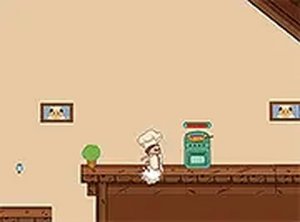
Platformer Chef Online Arcade Game
Fun mix of jumping and cooking. Simple controls and bright visuals make it enjoyable for all ages.
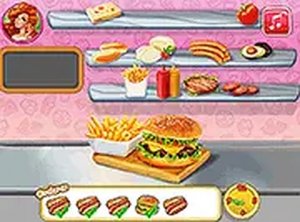
Noelle's Food Flurry Time Management
Fun cooking game with clear instructions. Great for quick play sessions and improving multitasking skills.